How to Set Up Copy Trading in 5 Minutes
Published June 16, 2026 · 5 min read
You do not need to be a developer or a full-time trader to start copy trading. With the right platform, you can go from signup to your first mirrored trade in about five minutes. Here is the exact process on OptionsHood.
Step 1: Create your account (1 minute)
Go to optionshood.com and click Start Copy Trading. Sign up with email or Google and verify your email address.
Step 2: Connect your broker (2 minutes)
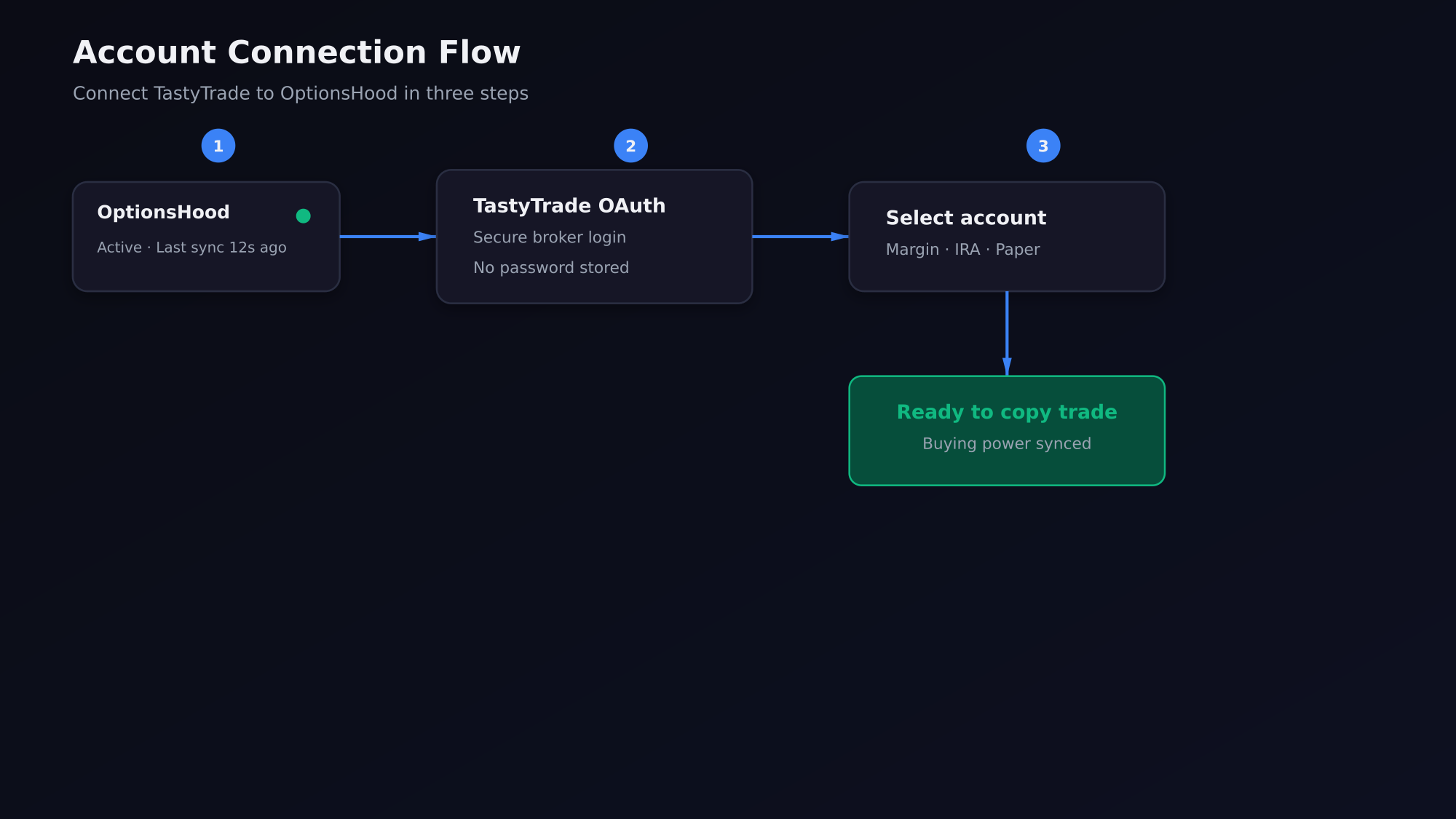
Open Settings → Broker Connections and select TastyTrade. Log in through the secure OAuth popup and choose the account you want to use. OptionsHood never stores your password.
Step 3: Choose a leader (1 minute)
Go to Community and filter leaders by strategy and asset class. Click a trader card to review their track record, drawdown, and recent trades.
Step 4: Set allocation and subscribe (1 minute)
On the leader's profile, click Copy Trader. Choose your allocation model and cap. We recommend starting with 5-10% of your account per leader.
Pro Tip
Use a paper account for your first week. It lets you confirm execution speed and slippage without risking real capital.
Step 5: Confirm your first mirrored trade
Once subscribed, the platform mirrors the leader's new trades automatically. Check the Orders page to confirm fills and the dashboard to monitor positions.
Key Takeaway
The fastest path to copy trading is: sign up, connect broker, pick a leader, set allocation, subscribe. After that, execution is automatic.